
Is your favorite charity here?

There are many ways to help your favorite charity. And now, you can do that FOR FREE. And, as a bonus, keep your underused electronics out of the waste stream.

That’s right. Avoid the landfill, help a fellow citizen, and just, well, feel good.

Trained volunteers of STUG have been recycling computers, tablets, phones and related electronics since 2004. After deleting sensitive/personal data, we install updated operating systems and programs on these devices and pass them on, free of charge, to over 40 local non-profit organizations, students, unemployed residents and seniors.

To date, more than 17,000 devices have been donated to the community, more than 600 just since the beginning of this year. All devices that cannot go to a new home are recycled, not trashed. If you have an unwanted laptop or other device, phone us at 941-539-7401 or email refurb@thestug.org for more information. Our blog and our website have more info on how to donate or to apply to receive a computer.

Your favorite charity could benefit! We have helped these local groups thrive, thanks to your donations and the volunteer refurb crew from STUG.

21st Century After School Program + 4 Hope Communities AARP + ABA Academy + Atwater Elementary School + Beyond the Spectrum +Booker Elementary School + Career Source Suncoast clients + Children First + Children’s Guardian Fund + Community Foundation + Dreamers After School + Education Foundation + Emma Booker + ESOL + Faulhaber Fab Lab + Florida Center for Children and Family Services of Venice + Foundation for Dreams + Girls Inc + Goodwill clients + Guardian Ad Litem + Harvest House + Heron Creek Elementary School + Historic Spanish Point + Indian Festival + Jefferson Center + Joseph Recovery Center + Komputer For Kids + Laurel Civic Center + Literary Council of Sarasota + Living With Dignity + Mothers Helping Mothers + Mount Zion Missionary Baptist Church + Newtown Janie Poe Housing Project + Newtown Masonic Temple + Newtown Children’s Preschool + Nur Academy + Our Mother’s House + Phillippi Shores First Grade students +Project 180 + Purpose House + Red Cross + Red Cross Ham Radio + Resurrection House + Salvation Army clients + Sarasota Housing Authority + Sarasota Native American + Sarasota Music Archive + Sarasota School Students + Sarasota Suncoast Academy + Sarasota Virtual School students + SPARCC + STC students + Students Leadership Academy in Venice + Suncoast Polytech students + Suncoast School of Innovative Studies + Suncoast Tech College students + Take Stock in Children – Manatee +Take Stock in Children – Sarasota + True Worship Outreach Ministry + Tuttle Elementary 2nd Grade students + Voice + Wee Care Christian Academy + Wilkinson Elementary School + Woodland Middle School

What sound does a butterfly make?

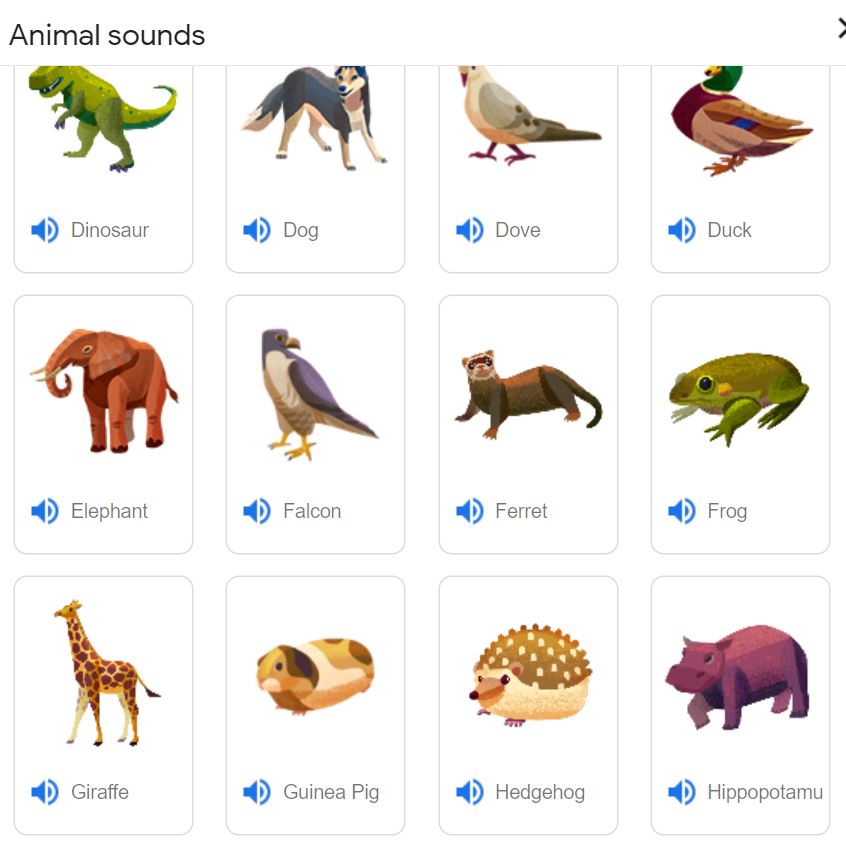
It’s not as though the world isn’t noisy enough already. Ask Google for “animal noises” and you get a fun activity to share with a grand or great-grand.

Too tame for those jaded tweens? Visit The Creepiest Animal Sounds together for options like “lynxes having a conversation.”

Or if you have littlest ones to entertain, check out the nursery song, The Sounds that the Animals Make. (Note that I, Tuggie, make a cameo appearance in this production. I have a good agent.)

And the people they say blah-blah-blah. Ain’t that the truth.

What sex is your computer?

Editor’s note: This humorous piece is from an unattributed source. The earliest reference to it that I can find is in the NY Times in 1998, and even then, it was a judge reading from an email he received so who knows where it first appeared. So don’t mind the gender stereotyping that some folks in 2021 might find offensive.

As you are aware, ships have long been characterized as being female (e.g., “Steady as she goes” or “She’s listing to starboard, Captain!”).
Recently, a group of computer scientists (all males) announced that computers should also be referred to as being female. Their reasons for drawing this conclusion follow:

Five reasons to believe computers are female:

  1. No one but the Creator understands their internal logic.
  2. The native language they use to communicate with other computers is incomprehensible to everyone else.
  3. The message “Bad command or file name” is about as informative as, “If you don’t know why I’m mad at you, then I’m certainly not going to tell you.”
  4. Even your smallest mistakes are stored in long-term memory for later retrieval.
  5. As soon as you make a commitment to one, you find yourself spending half your paycheck on accessories for it.

However, another group of computer scientists (all female) think that computers should be referred to as if they were male. Their reasons follow:

Five reasons to believe computers are male:

  1. They have a lot of data, but are still clueless.
  2. They are supposed to help you solve problems, but half the time they are the problem.
  3. As soon as you commit to one you realize that, if you had waited a little longer, you could have obtained a better model.
  4. In order to get their attention, you have to turn them on.
  5. Big power surges knock them out for the rest of the night.

Feel like shooting your computer? How about trouble-shooting instead?

I don’t know about you, but images of Annie Oakley and her sharpshooting come to mind whenever something goes wrong with my computer. I can almost smell her buckskin fringe. Or is that the smell of dollars leaving my checking account when I have to hire professional help?

SURELY there are things I can do…

Step #1: Attend our virtual monthly meeting on Wednesday, July 7 at 7pm where Judy Taylour will be presenting

Troubleshooting Your Computer 101

Before you make that $99 tech support call, there are many easy
things you can do to troubleshoot problems that you encounter with
your computer. Can’t start your computer? Does your hard drive
make grinding noises? Is it taking forever to start? Does it randomly
turn off and restart? Has your printer stopped working? This
presentation covers problems and solutions that just might help if
and when….

Register to attend this month’s STUG Zoom meeting here.

And step #2: Join STUG to help keep our educational programs alive and well, and to help fund our community outreach project of providing refurbished computers to those who need them.

Image courtesy Allen & Ginter, CC0, via Wikimedia Commons

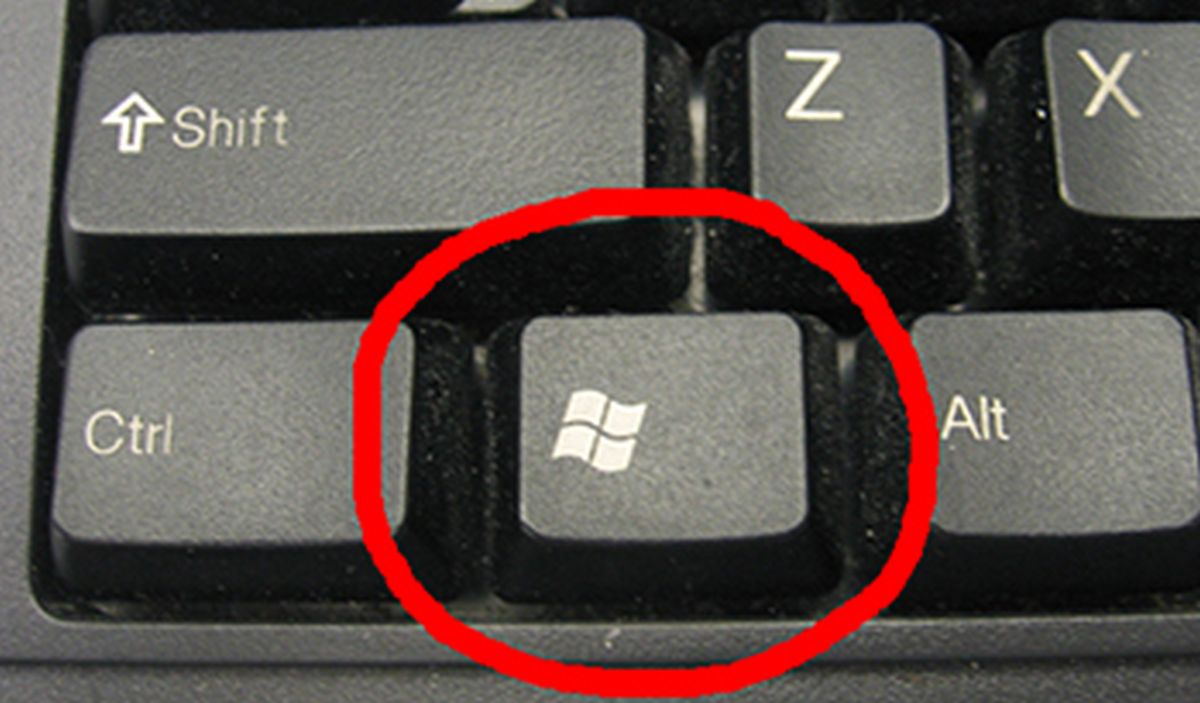
The WIN Key is a winner.

Here’s a Tuggie the Techno-Owl tip for you. (You know that Tuggie’s smart enough to know that nobody knows everything, and discrete enough to teach you things you can claim to have always known.)

“The Windows logo key is a keyboard key which was originally introduced on the Microsoft Natural keyboard in 1994. [Golly, that means that Tuggie’s been avoiding it for almost 3 decades] . In Windows tapping the key brings up the start menu.” And so much more, Tuggie hoots….

But do you know the many other uses for the Win-key? My favorite is: it can hold a whole bunch clip-board items. Try using Win + V. It’s a, as they say, game-changer!

Yup, and I am SO thrilled at this.. it’s so helpful to “stack up” a bunch of clipboard items, whether URLs or blocks of text, and then be able to paste as needed. That’s actually how I saved the list of sites below. You can even permanently save things you’ve copied, by pinning them.

Maybe you learn better by watching? Or maybe your win key doesn’t work this way and you need to enable it? Or maybe you just love a man with a burly accent?

Here’s some resources about the multiple uses of the Win key. Be sure to make note of the functions that will make your keyboard time more effective!

Should I use CC? or BCC?

Probably only us oldsters know that CC: stands for the time-honored “carbon copy” for business correspondence. But we don’t need to sigh over those faint, smudged carbon copies because the e-revolution brought us something much more exciting: BCC‘s. That stands for “blind carbon copies”, or “don’t tell him but I sent her a copy” (or vice versa, of course, to be inclusive. )

So what to use when, how to use the “to” field, and what do your choices look like to your recipients?

In short, every recipient email address you enter into the “to” and “CC” fields will be able to see each other.  The email addresses you add to the “BCC” field will not be visible to the “to” and “CC” recipients or the other “BCC” recipients. Here’s what to keep in mind:

  • To: enter the email addresses of the people the email is specifically targeted to
  • CC: enter the email addresses of people you want to know about the email, remembering that everyone involved will have access to these email addresses
  • BCC: enter the email addresses of the people you want to know about the email but not announce to everyone else that they are getting a copy, and/or to not broadcast their email address to others, including others who might be in the bcc list.

The most important use, in this writer’s humble opinion, for BCC is whenever you’re sending an email to many recipients who don’t know each other. Using BCC is crucial in this situation. You don’t want to higgledy-piggledy give everyone on your [business/ personal/club/interest] list, everyone else’s email.

And as a recipient of same, what’s expected of you?

Email etiquette dictates that only the main recipients of the email appear in the “To” field. Primary recipients are more directly affected by the email and are typically expected to respond or take action. For CC recipients, on the other hand, responding and acting are generally optional. The key purpose of the CC field is to simply keep someone in the loop. It’s often called a “courtesy copy” for this reason.

Responding to emails based on how you rank:

CC’d individuals will receive all additional responses to the email, assuming the “Reply All” function is used. BCC’d recipients do not receive additional emails unless you choose to forward them.

The most important thing I learned when writing this post for you:

When typing your reply to an email, start by DELETING the person’s email address. Then write your reply. That way, deciding to send that overcomplicated/ incorrect/ snarky reply will be your choice as you re-enter the recipient(s) name(s), rather than a hasty decision you’ll regret 30 seconds later.

Info in this post from, and more info available, at

It’s alive! It’s ALIVE!

Remember when we saw all the wonderful things that we could do with computers, circa 1982? Pretty cool, huh. We could balance our checkbooks and dial a number until it’s answered. (Well, nix on that last thing, right?)

Well, here’s something else that can be done, and I think it’s just about the BEST thing to do:

Keep old books alive. It’s a fascinating process.

To be able to have not only well-known information at our fingertips but more obscure information? Such as The Florida driving test no longer requires parallel parking (learning to parallel park took up my entire summer of ’63.) Or what was in your kitchen cupboards in 1925. If you wanted, you can read all about it in a 1925 book called The story of a pantry shelf thanks to a book kept “alive” by the Internet Archive.

But digitizing old books is not all the Internet Archive does. One way to use the Internet Archive that you may be familiar with, is to see what web sites used to look like. Here’s STUG’s website in 1996: