

One day I decided to explore the extensions in my Chrome browser, and it’s been a joy ride to uninterrupted reading ever since.
My favorite Chrome Extension is Mercury Reader. If you’ve ever been annoyed and distracted by ads, popups, videos which run without your permission you need this!
In addition to (almost 100%, nobody’s perfect) eliminating the commercials while leaving the meat of a web page, Mercury Reader also allows you adjust font size, copy text, and even adjust the background color from white to black. You can print the cleaned-up page, send it via email, even make a PDF of it. You can even send pages to your Kindle reader, though I haven’t tried that.
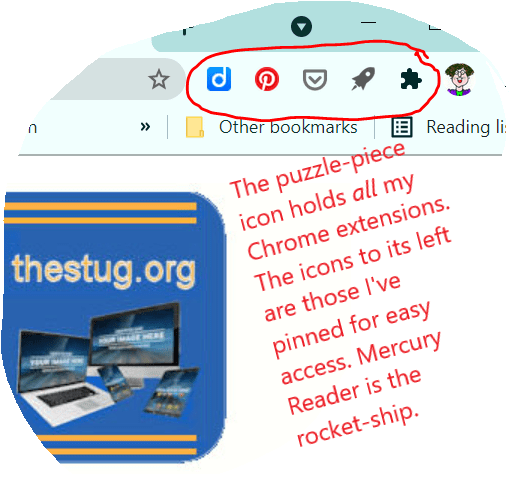
With Mercury Reader, I make the most of my screen time!
- More info from Chrome
- A video on Mercury Reader
- Alternatives to Mercury Reader (you see in the above screen shot, I use Pocket, the grey hip-pocket-looking icon, as well… does something similar but I can save and tag articles with Pocket for later reading.)
Discover more from STUG
Subscribe to get the latest posts sent to your email.


I read the reviews on Mercury and just downloaded the extension. Look forward to using it.
LikeLike