
Remember when?

$20 went further in 1982. No Verizon bills, no Netflix to pay.

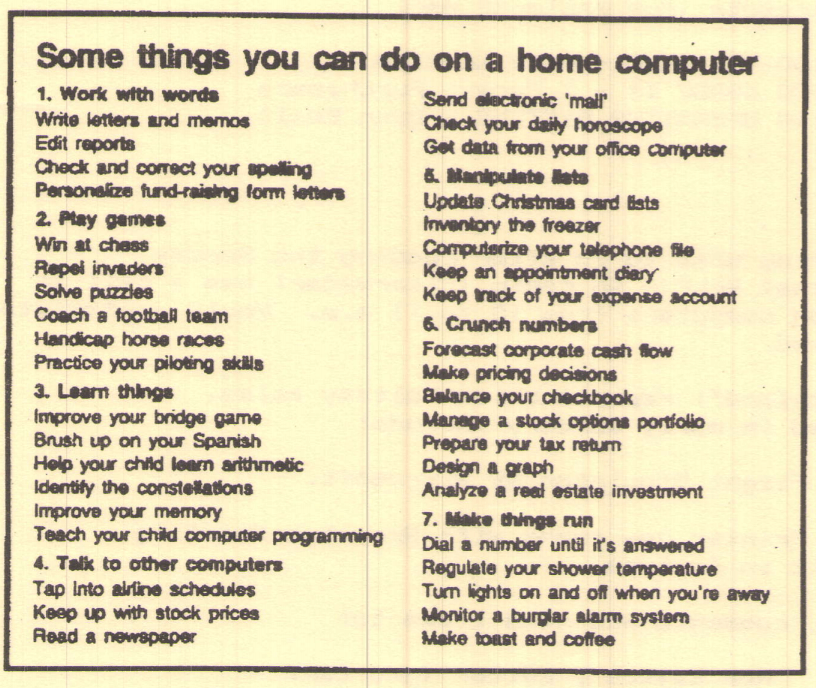
For those of us who have a hard time remembering what we had for dinner last Tuesday (or even, in these times, when was the last time we went out to dinner?), dialing back to 1982 might be impossible. Here’s a feature from “Shorelines”, the 1982 newsletter from the then-named ManaSota IBM-PC Users Group. Remember IBM?

“Teach your child computer programming.” Hope that child is now top exec at some Internet company and treats you to exotic vacations with the grandkids.

The club, as of December 1982, had a treasury balance of $20. Heck, don’t scoff. $20 in 1982 is the “adjusted for inflation” equivalent of $54.51 in 2021. Of course, when it comes to money, there’s more to the value of money over time that the CPI. If you’re interested in delving further, here’s an article that will keep you amused for quite some time.

Yup, $20 went further in 1982. No Verizon bills, no Netflix to pay. And VoTech (as it was called back then) gave the club free meeting space.

Read the whole issue of “The Shoreline.”

Where did I hear that?

Ever want to find the source of something you “heard” on the Internet? Or reopen some website you found interesting oh, say a week or two ago?

Well, if you use Chrome browser, you can find out. (I found this out by accident when I hit Ctrl + H at the same time.) Go to chrome://history/ and voila ! Everywhere your browser took you is there to revisit. There’s even a search box so if you can remember that it was about car pools, for example, Chrome remembers that you read https://apnews.com/article/california-man-cited-using-mannequin-carpool-lane-d960a9623ee5a03aeca9764f8747acaf one day.

Somehow, I envisioned “mannequin” as something more glamorous…

Of course, this can be scary too. My history went back for 20+ days before my mouse finger got tired. There is an easy way to get it out of sight with the “Clear browsing data” button.

Look! It’s watching me as I type!

Customize your viewing

Want to reduce your streaming subscriptions, or cut the cord, but there are channels you simply cannot live without? So many choices!

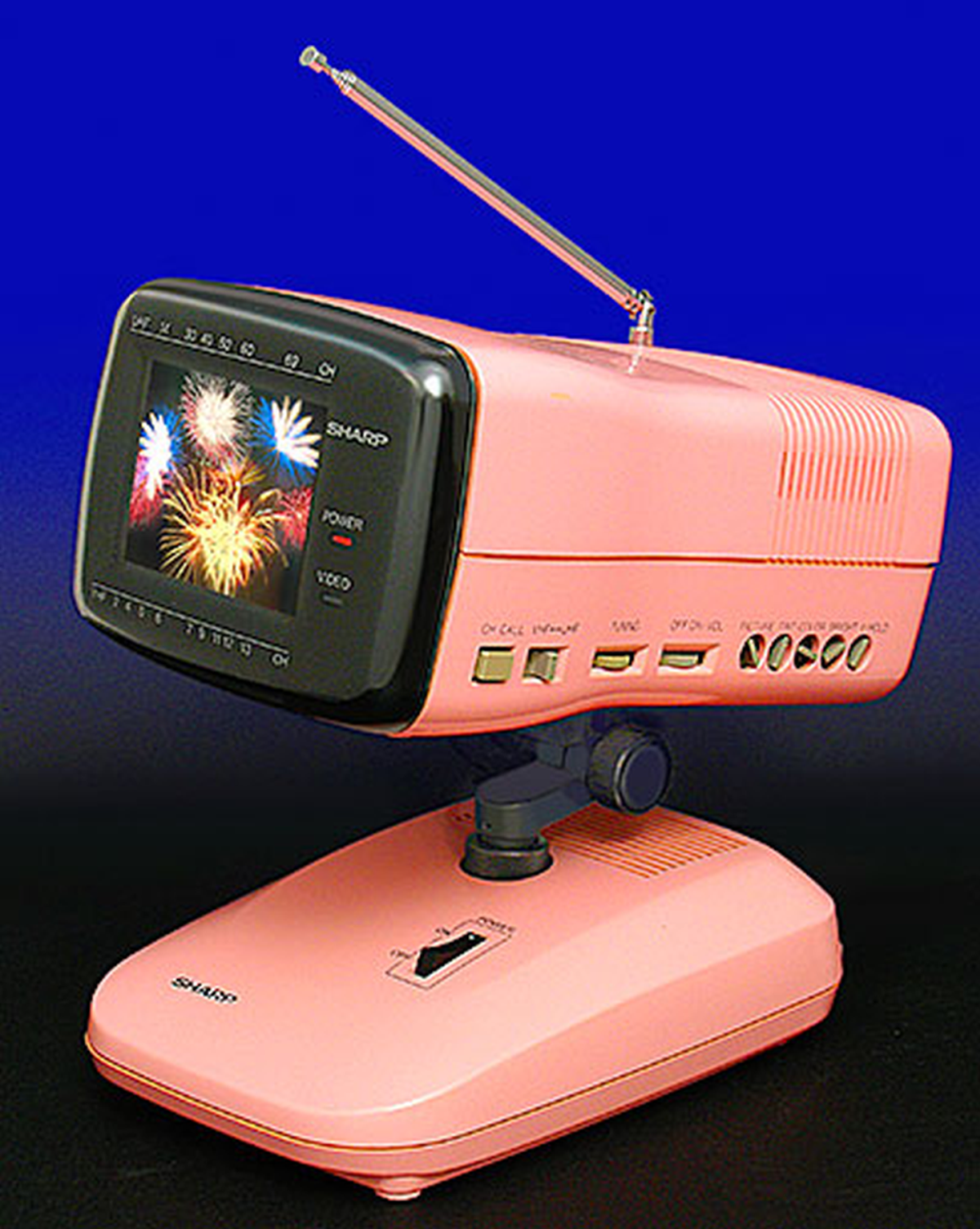
More vintage TVs in Eric Wrobbel’s collections.

Here’s an interactive site where you can e-customize what you want to be able to watch and see what that all would involve. It’s called suppose.tv and it’s a fun way to explore your options. You can even prioritize your choices and mark specific channels as “must-have.” You do have to tell them your location, so they don’t recommend a service that’s unavailable where you live.

What’s it all about?

It is our mission to bring to our members quality education in using today’s personal technology products, and to provide to qualified citizens of Sarasota County refurbished computer equipment.

Founded in 1982, STUG is organized exclusively for educational and technological purposes.  This includes the distribution of hardware, software and educational materials to organizations that qualify as exempt organizations under section 501(c)(3) of the Internal Revenue Code. 

STUG promotes the use of, and encourages the exchange of information among individuals and groups who have interest in technology and technological devices.  STUG is committed to educate members as to the uses of applications, hardware and software of these devices through discussion groups, forums, lectures, seminars, meetings, and other similar efforts.

Get the most out of membership

What can you buy for $30 that’ll last you, and indeed your whole family, for a year? A (smallish) tank of gas in the family car? That won’t last a year.

A 2 pack of cheese balls? (Actually, that would last my family a year, but imagine how stale they’ll get, sitting unopened in the garage…)

Well, for $30 membership in the Sarasota Technology Users Group, you get:

  • Monthly meetings on a wide variety of topics. These are being held by Zoom right now, but soon we’ll be back, hopefully, to the in-real-life gatherings, with great convos, giveaways, a help desk, raffles and free drawings for stuff (I scored a cute mouse one month!) and more.
  • Our monthly e-newsletter, the Monitor, with amazing tips, excellent articles, and ideas to make your e-life more interesting, more fun, and safer.
  • Our Help Desk has now gone virtual for the time being, but it’s still up close and personal: Ask an expert and you’ll get a personalized answer… none of this searching Google for 2 hours nonsense.
  • Members Helping Members: You get the phone numbers of volunteers who will help you with a topic they’re conversant with, from digital imaging to phones to spreadsheets.
  • iPhone/ iPad workshops, Windows 10 Forum, Microsoft Office Forums (on Word, Excel and PowerPoint)
  • Mac classes on Contacts, Calendar, Tips, and Mail and Maps
  • Using PAINT for Windows (it does things you’ve never dreamed of!)
  • And more. Classes have been held, in the past, on just about any tech topic you can think of, from organizing your photos to how to set up a blog for family or business.

All that and MORE, for $30.

Plus you get the joy of helping support the Refurb Group.  These dedicated volunteers accept donated computer equipment for the purpose of refurbishing and updating the equipment. These items are donated to community-based non-profits and individuals who otherwise would be denied the technology due to economic limitations.

Not sure if we’re a good fit for your talents and experience?

Skill levels of our members range from “I don’t know how to turn the ‘thing’ on”  to “let me show you how to disassemble and reassemble this device blindfolded, in a closet, in 27 seconds”.  The truth is we’re all still learning and none of us know everything.

So join us, won’t you?